
No products in the cart.

Type
Recharge
Delivery
Approx. 30 Minutes
Region
Global
Asphalt Legends Recharge (Global)
In Stock
Payment processing fees may apply
You may also like


How to Locate Your Gameloft Player ID
Asphalt Legends Top-Up (Global) – Recharge by Gameloft Player ID
Overview
Top up your Asphalt Legends account quickly and safely using your Gameloft Player ID. This service allows you to receive in-game currency directly to your account without sharing your login details. Fast processing and secure handling make it the easiest way to boost your gameplay and unlock premium content.
How to Order
-
Select the top-up amount you want above.
-
Enter your Gameloft Player ID correctly during checkout.
-
Complete your purchase securely.
-
Your top-up will be delivered automatically once processing is completed.
Important Information
-
This top-up service is NOT affiliated with, sponsored by, or endorsed by Gameloft.
-
Please ensure your Player ID is entered correctly. Incorrect IDs may result in delayed or failed delivery.
-
No account login or password is required.
-
Digital top-ups are non-refundable once processed.
We strongly encourage all users to review our trading safety guidelines before and after purchase to help keep your gaming experience secure.
How to Find Your Gameloft Player ID in Asphalt Legends Unite
- Open Asphalt Legends Unite.
- Go to the main lobby/home screen.
- Tap your profile/avatar icon or player name.
- Open your Profile or Player Details section.
- Look for your Gameloft Player ID.
- It usually starts with u-, for example: u-12345678.
- Copy the full ID exactly as shown, including the u- prefix.
- Paste it into the order form before placing your order.
Important:
Please make sure your Gameloft Player ID is correct before submitting your order. The top-up will be delivered using the details you provide, and incorrect information may cause delivery to the wrong account.
Additional information
| Type | |
|---|---|
| Select Top-up Amount | 125 Tokens, 350 Tokens, 800 Tokens |
| Delivery Time | Approx. 30 Minutes |
| Region | Global |
Add a review
You must be logged in to post a review
Log In
Related products
Genshin Impact Genesis Crystals Recharge (Global)
Select options
This product has multiple variants. The options may be chosen on the product page
Brawl Stars Gems Recharge (Global)
Select options
This product has multiple variants. The options may be chosen on the product page
Ludo Club Coin Recharge (Global)
Select options
This product has multiple variants. The options may be chosen on the product page
0%
8BP Pool Pass – Premium or Elite (Global)
Select options
This product has multiple variants. The options may be chosen on the product page
Up to
6% Off
6% Off
0%

PUBG MOBILE UC Recharge (Global)
Select options
This product has multiple variants. The options may be chosen on the product page
Up to
2% Off
2% Off
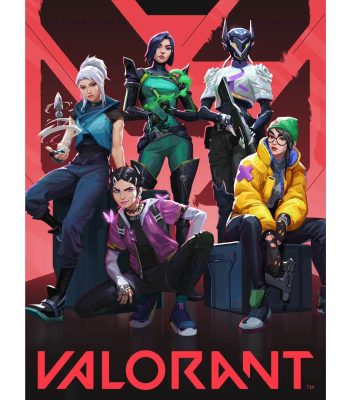
Valorant Points (VP) Top-Up PC (Global)
Select options
This product has multiple variants. The options may be chosen on the product page
Reviews
There are no reviews yet