No products in the cart.
How to Redeem a Steam Gift Link
A simple guide to claiming your game using a Steam Gift Link, including links sent via Piyxa or GetYourGame How to activate a Steam Gift via Steam: How to activate a Steam Gift via GetYourGame: How to activate a Steam Gift via Plyxa:
A simple guide to claiming your game using a Steam Gift Link, including links sent via Piyxa or GetYourGame
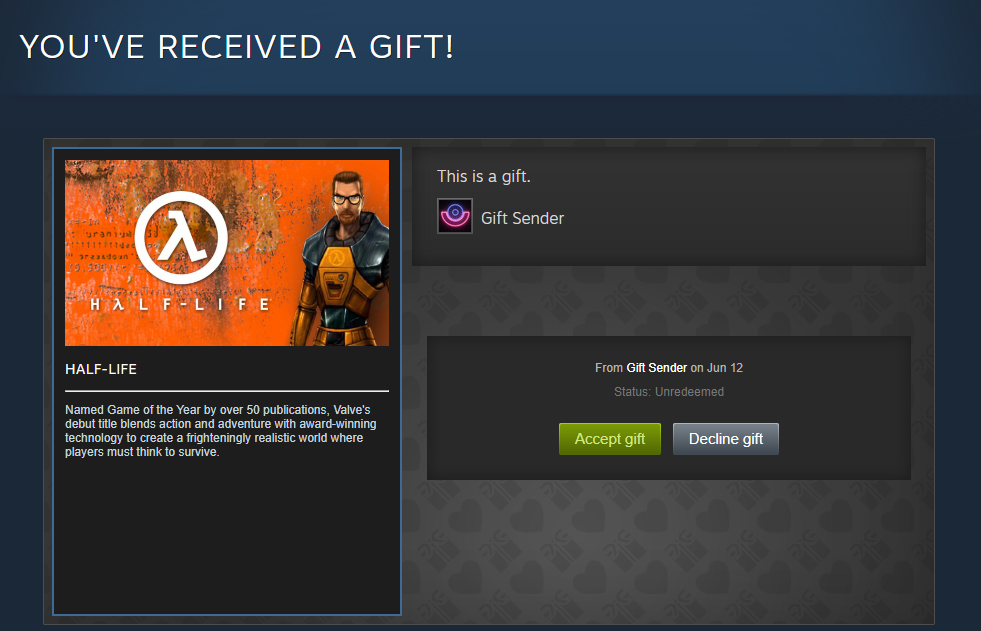
How to activate a Steam Gift via Steam:
- Enter the Steam Gift link into your browser.
- Log into your Steam account.
- Accept the gift by clicking Accept Gift at the bottom of the page.
- Add the game to your Steam Library.
- A message will be displayed confirming the game was successfully redeemed.
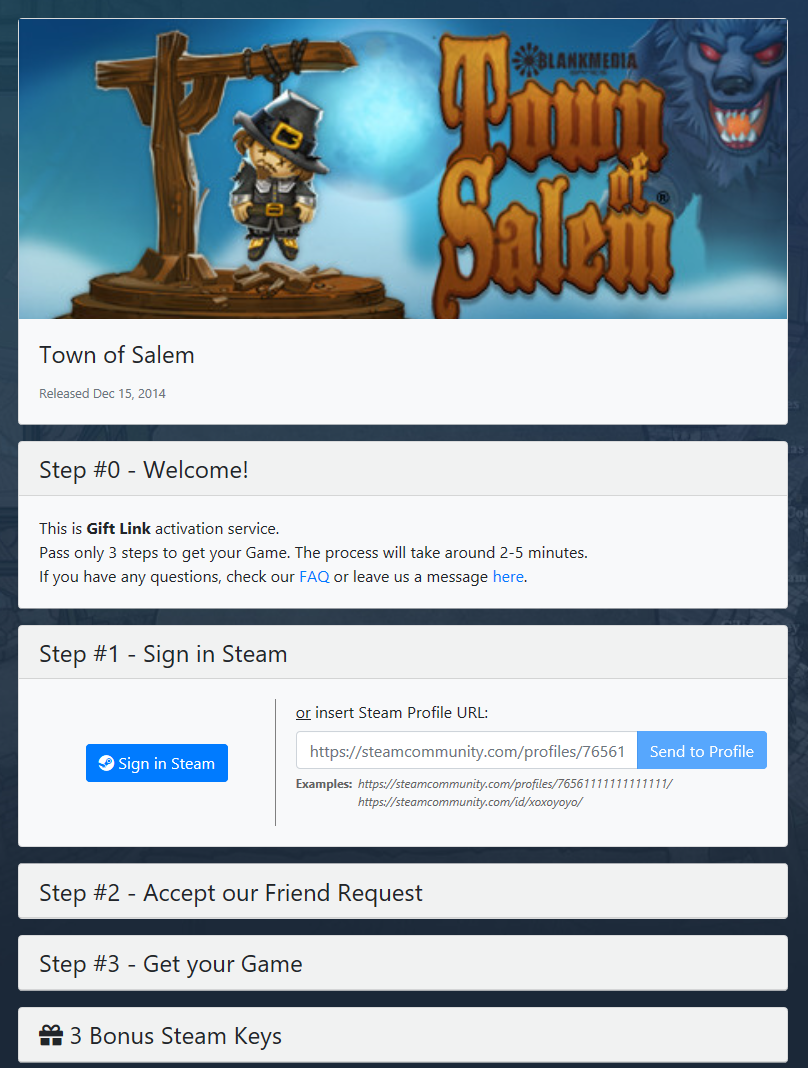
How to activate a Steam Gift via GetYourGame:
- Enter the Steam Gift link into your browser.
- Enter your Profile URL or SteamID into the provided field, or log in via your Steam account.
- Set your Steam store country. This must match the country set in your Steam profile.
- Wait 10 minutes to accept the friend request from the GYG bot.
- Wait for the game to appear as a gift on your Steam account, then accept it.
- A message will be displayed confirming the game was successfully redeemed.
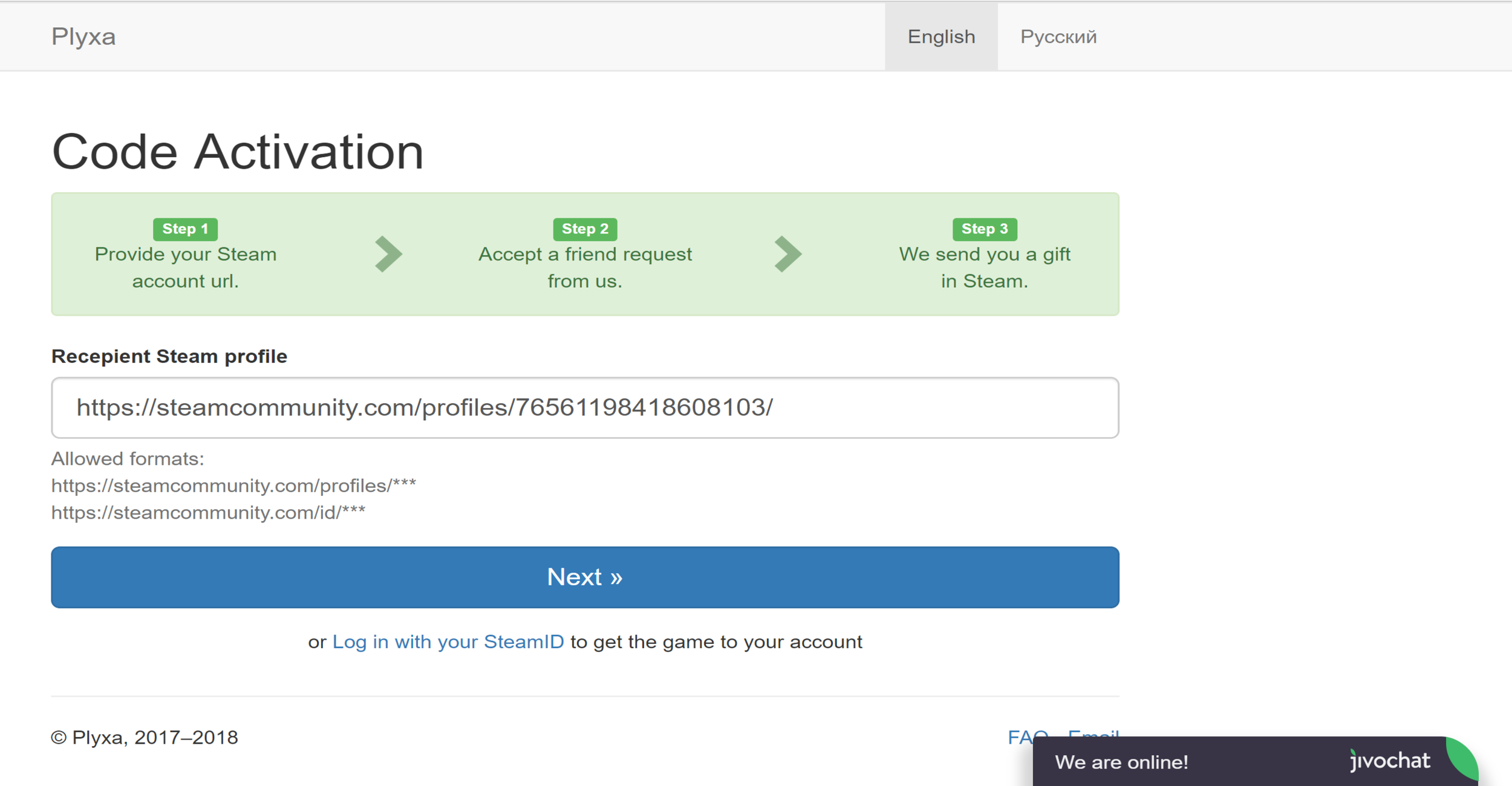
How to activate a Steam Gift via Plyxa:
- Enter the Steam Gift link into your browser.
- Enter your Profile URL or SteamID into the provided field, or log in via your Steam account.
- Set your Steam store country. This must match the country set in your Steam profile.
- Wait 10 minutes to accept the friend request from the Plyxa bot.
- Wait for the game to appear as a gift on your Steam account, then accept it.
- A message will be displayed confirming the game was successfully redeemed.