
No products in the cart.
How to Redeem Your Steam Game Key
A simple guide to activating your new game on Steam
A simple guide to activating your new game on Steam
If you have purchased a Steam game key from Gate2Enter, this article will show you how to redeem it. The process is quick and works the same way for most games on Steam.
How to redeem your key on desktop:
- Open the Steam application and log in to your account.
- Click the Games menu at the top of the screen.
- Select Activate a Product on Steam.
- Click Next on the welcome screen.
- Read and accept the Steam agreement, then click Next again.
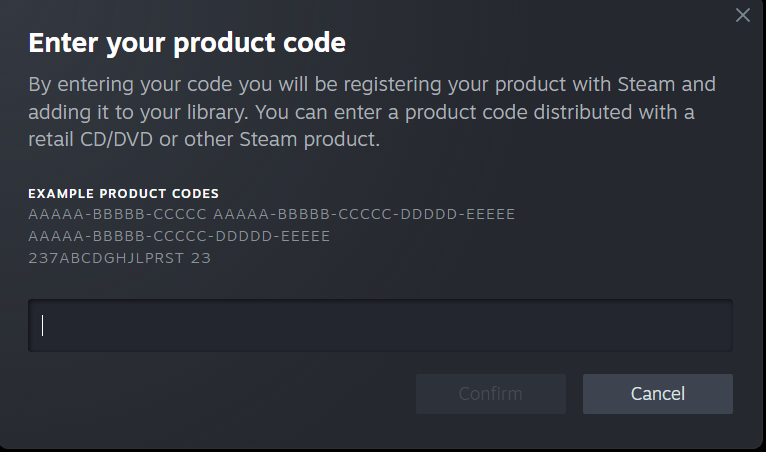
- Enter the product code you copied from Gate2Enter.
- Click Next to confirm and complete the activation.

How to redeem your key on the Steam mobile app:
- Open the Steam app and log in to your account.
- Tap the menu icon in the top left corner.
- Select Games, then tap the plus icon.
- Choose Activate a Product.
- Enter the product code and follow the on-screen steps to finish.
Once the activation is complete, the game will be added to your Steam library. You can install it straight away or at any time later.
A few things worth knowing:
- Each key can only be redeemed once.
- The game must be available in your Steam account’s region to activate successfully.
- Some keys are tied to a specific country, so always check the product listing before purchase.