
No products in the cart.
Type
Gift Card
Platform
Discord
Region
Global
Delivery
Approx. 10 Minutes
G-Care
30 Days
New!
SALE
Discord Nitro Basic 1 Month Gift Link / Code – All Users (Global)
In Stock
Payment processing fees may apply
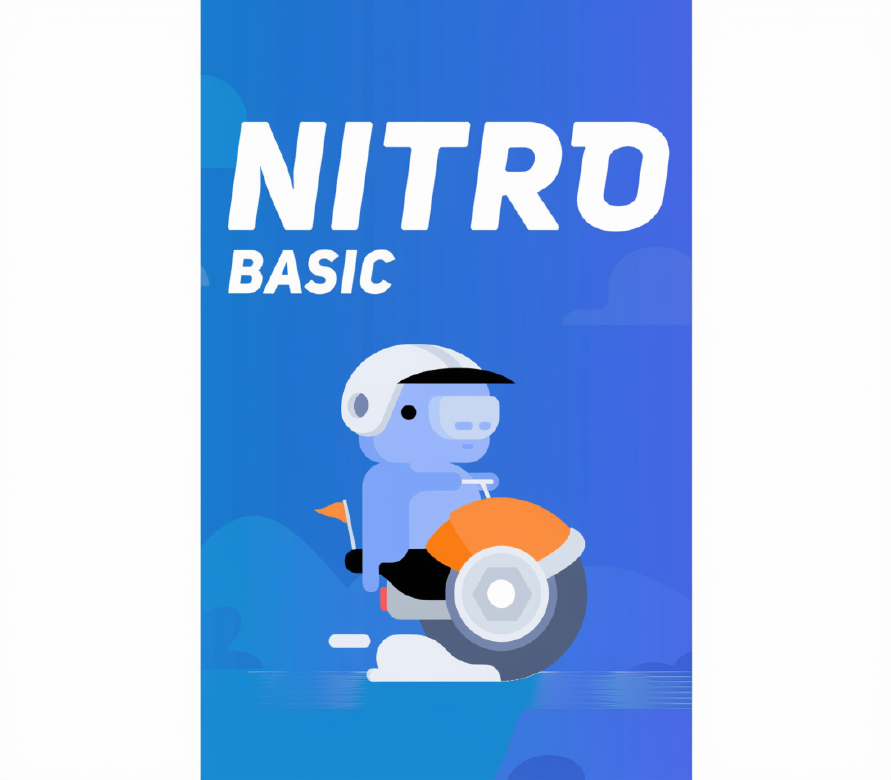
Discord Nitro Basic is an entry-level Discord subscription. It adds custom emoji across all servers, 50 MB file uploads, a Nitro profile badge and custom app icons to any Discord account.
Perfect Match with

Overview
Discord Nitro Basic is the lighter tier of Discord’s premium subscription. It gives you the most-used Nitro perks: custom emoji in every server and DM, bigger file uploads, a Nitro badge and custom app icons. It suits anyone who chats and shares on Discord every day and doesn’t need Server Boosts or HD streaming. This gift works for all users, on new and existing accounts alike, and is delivered as a gift link or a redeem code.
What’s included / why buy
- Emoji anywhere: Discord Nitro Basic lets you use custom and animated emoji from any server you’re in, across all chats and DMs.
- 50 MB uploads: Share files of up to 50 MB, five times the free limit. That covers short clips, screenshots and documents without compressing them.
- Nitro badge and app icons: Show the Nitro badge on your profile and switch Discord’s app icon to one of the custom designs.
- Works for all users: You can redeem it on any account, new or existing. You don’t need to be a first-time subscriber, as some promo codes require.
- Two ways to redeem: Open the gift link while logged in, or enter the code in Gift Inventory. Both apply the plan instantly.
- Low-cost entry to Nitro: You get the core perks without paying for the full plan. If you want Server Boosts and HD streaming, see our Discord Nitro and subscription range.
Important information
- Nitro Basic does not include Server Boosts, HD streaming or animated avatars. Those perks come with full Discord Nitro.
- If your account already has an active Nitro subscription, Discord may apply the gift differently or hold it until your current plan ends.
- Each gift link or code can be redeemed only once, by one account.
- All sales are final and non-refundable once the gift has been delivered.
How to redeem a Discord Nitro gift link or code
You can receive a Discord Nitro or Nitro Basic gift in two forms: a gift link or a redeem code. Both add the subscription to your Discord account, and each can be used only once. This guide covers both methods on desktop, web and mobile, how to apply Server Boosts, and how to fix common errors.
Gift link vs redeem code
- Gift link: A full URL, usually starting with discord.gift/ or discord.com/gifts/. You open it and accept the gift.
- Redeem code: A string of letters and numbers that you paste into Discord’s Gift Inventory.
- A gift link and its code are the same gift. The code is simply the part after the last slash in the link, so you can use either method.
Before you redeem
- Log in to the exact Discord account you want upgraded. Once claimed, the gift cannot be moved to another account.
- Check whether the account already has an active Nitro or Nitro Basic subscription. Discord may handle the gift differently while another plan is running.
- Keep your link or code private until you redeem it. Anyone who opens it first can claim it.
How to redeem a gift link
On desktop or web
- Log in to Discord in the desktop app or at discord.com.
- Paste the gift link into your browser, or into any Discord chat and click it.
- Click Accept in the pop-up.
- Your Nitro perks activate immediately. You can confirm this under User Settings > Subscriptions.
On mobile
- Make sure you’re logged in to the Discord app with the correct account.
- Tap the gift link. It opens in the Discord app.
- Tap Accept.
- If the link doesn’t open in the app, open it in your phone’s browser, log in at discord.com and accept it there.
How to redeem a code
On desktop or web
- Open Discord and click the gear icon to open User Settings.
- Under Billing Settings, select Gift Inventory.
- Click Redeem Codes.
- Paste your code and click Redeem.
On mobile
- Tap your profile picture to open User Settings.
- Find Gift Inventory under the billing options.
- Tap Redeem Codes, paste your code and confirm.
- If you don’t see the redeem option in your app, redeem the code through Discord in a web browser instead.
How to apply your Server Boosts (full Nitro only)
Full Discord Nitro includes 2 Server Boosts. Nitro Basic does not include boosts.
- Open the server you want to boost.
- Click the server name at the top left and select Server Boost.
- Click Boost This Server and confirm.
- Repeat this to use your second boost on the same server or a different one.
Troubleshooting common errors
“This gift has already been redeemed”
The link or code has already been claimed. Check under User Settings > Subscriptions whether it was added to your own account, including any other account you may be logged into on another device.
Gift link opens but nothing happens
Log out and back in, then open the link again in a web browser at discord.com. Browser extensions that block pop-ups can also hide the Accept window.
“Invalid code” or “Unknown gift”
Copy the code again without spaces or extra characters. If you’re pasting a link into Gift Inventory, use only the part after the last slash.
Nitro perks aren’t showing
Fully restart Discord, or reload with Ctrl + R (Cmd + R on Mac). Perks usually appear within a few minutes of redeeming.
Additional information
| Type | |
|---|---|
| Platform | Discord |
| Duration | 1 Month, 12 Months |
| Region | Global |
| Delivery Time | Approx. 10 Minutes |
| G-Care | 30 Days |
Add a review
You must be logged in to post a review
Log In
Related products
PlayStation Gift Card (Switzerland)
Select options
This product has multiple variants. The options may be chosen on the product page
SALE
Xbox Live Gift Card (France)
Select options
This product has multiple variants. The options may be chosen on the product page
SALE
Steam Gift Card (Turkey)
Select options
This product has multiple variants. The options may be chosen on the product page
SALE
Apple Gift Card (Switzerland)
Select options
This product has multiple variants. The options may be chosen on the product page
SALE
Xbox Live Gift Card (Turkey)
Select options
This product has multiple variants. The options may be chosen on the product page
SALE
PlayStation Gift Card (France)
Select options
This product has multiple variants. The options may be chosen on the product page
SALE
Recently Viewed Products
Discord Server Boost Level 3 – 14 Boosts (1 Month)
Select options
This product has multiple variants. The options may be chosen on the product page
New!
SALE
Reviews
There are no reviews yet