
No products in the cart.
13%
Type
Activation Key
Platform
Nord
Region
Global
Delivery
Instant Delivery
G-Care
30 Days
Works on
Android, IOS, MAC, PC
New!
Up to
13% Off
13% Off
SALE
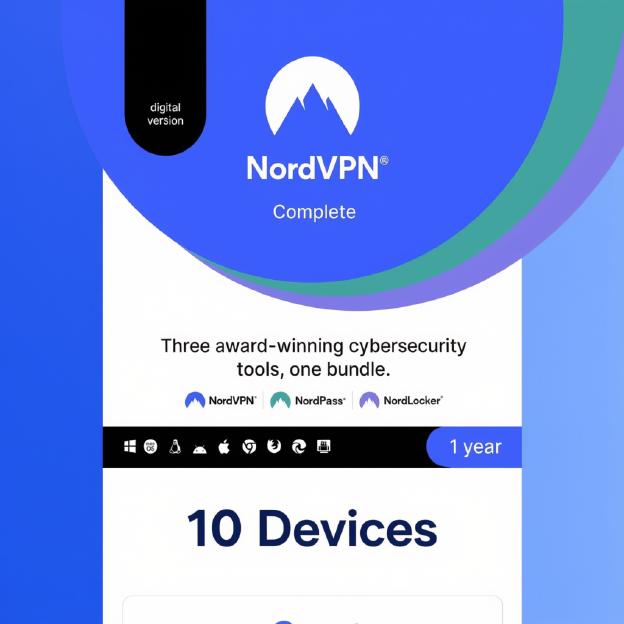
NordVPN Complete VPN Service (PC, Android, Mac, iOS) 10 Devices (Global)
In Stock
Payment processing fees may apply
NordVPN Complete is NordVPN’s all-in-one security plan. It combines an encrypted VPN for up to 10 devices with Threat Protection Pro malware and ad blocking, the NordPass password manager and 1 TB of NordLocker encrypted cloud storage. Apps are available for Windows, macOS, Android and iOS.
Perfect Match with

Enter the right email
Overview
The NordVPN Complete key activates NordVPN’s Complete plan. It combines NordVPN’s fast, encrypted VPN with Threat Protection Pro, the NordPass password manager and 1 TB of encrypted NordLocker cloud storage, all in one prepaid subscription. It covers up to 10 devices at once on Windows, macOS, Android and iOS, which makes it a complete privacy and security bundle for individuals and families.
NordVPN is one of the best-known VPN services, with a no-logs policy, its own NordLynx protocol for high speeds, and a large global server network. The Complete plan goes beyond the VPN. Threat Protection Pro blocks malware, phishing sites, ads and trackers. NordPass stores and autofills your passwords across devices, and NordLocker keeps your files in end-to-end encrypted cloud storage.
What’s included / why buy
- NordVPN on 10 devices: one NordVPN Complete key secures up to 10 devices at the same time, with fast NordLynx connections and servers worldwide.
- Threat Protection Pro: blocks malicious sites, scans downloads for malware, and stops ads and trackers, even when the VPN is off.
- NordPass password manager: generate, store and autofill strong passwords on every device, with data breach alerts.
- 1 TB NordLocker cloud storage: end-to-end encrypted storage to back up and share your files privately.
- Dark Web Monitor: alerts you if your email or credentials show up in known data leaks.
- All-in-one value: VPN, antivirus-style protection, a password manager and cloud storage on one prepaid plan. Browse more VPNs in our VPN collection.
Important information
- Region: GLOBAL key. Activate it on the official NordVPN activation page in any country.
- Check your email: the code is applied straight away to the email address you enter during activation, so double-check it before continuing.
- Existing accounts: activation codes can create a new prepaid account or extend an existing Nord Account subscription.
How to activate NordVPN key
Activate your code
- Copy the 25-character activation code from your gate2enter.com order.
- Open a web browser and go to my.nordaccount.com/activate.
- Paste the code into the Activation code field, and type the email address you want to use for NordVPN in the Email field. Check the email carefully, because the code is applied to it immediately.
- Click Continue. Nord sends a verification code to that email. Paste it into the next box to confirm.
- New users: create a strong password for your Nord Account. Existing users: enter your current password to add the subscription to your account.
- If you’re asked to enable auto-renewal, you can skip this. Your prepaid term is already active.
- Your Nord Account dashboard opens and shows your Complete plan and its expiry date.
On Windows / macOS
- Download the NordVPN app from your Nord Account dashboard or nordvpn.com/download, and install it.
- Open the app, click Log in and sign in with your Nord Account.
- Click Quick Connect or choose a country, and turn on Threat Protection Pro in the app.
On Android / iOS
- Install NordVPN from Google Play or the App Store.
- Tap Log in and sign in with your Nord Account.
- Allow the VPN configuration when prompted, then tap Quick Connect.
Set up NordPass and NordLocker
- In your Nord Account dashboard, find NordPass and NordLocker under your services.
- Download each app and sign in with the same Nord Account.
- Create your NordPass master password and save the recovery code somewhere safe.
If your code doesn’t work
- Check the code: copy and paste it rather than typing it, and remove any extra spaces.
- Already activated: log in to your Nord Account and check your subscription. The code may already be applied to your email.
- Wrong email entered: contact NordVPN support to move the subscription to the correct account
Additional information
| Type | |
|---|---|
| Platform | Nord |
| Duration | 1 Month, 1 Year |
| Region | Global |
| Delivery Time | Instant Delivery |
| G-Care | 30 Days |
| Works On | Android, IOS, MAC, PC |
Add a review
You must be logged in to post a review
Log In
Related products

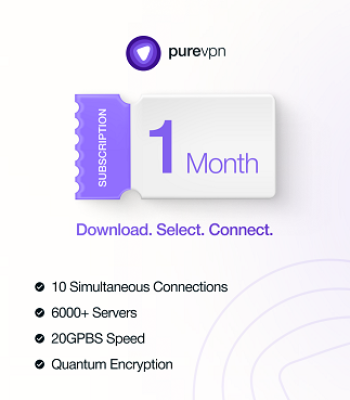
PureVPN (10 Devices) – PureVPN Key – (Global)
Select options
This product has multiple variants. The options may be chosen on the product page
New!
SALE
Up to
30% Off
30% Off
SALE
C- Pro (Global)
Select options
This product has multiple variants. The options may be chosen on the product page
SALE
0%
Nord-VPN 1 Device Basic Plan Membership (Global)
Select options
This product has multiple variants. The options may be chosen on the product page
Up to
10% Off
10% Off
SALE
Reviews
There are no reviews yet