
No products in the cart.
Type
Activation Key
Platform
PureVPN
Region
Global
Delivery
Instant Delivery
G-Care
30 Days
Works on
Android, IOS, MAC, PC
New!
SALE
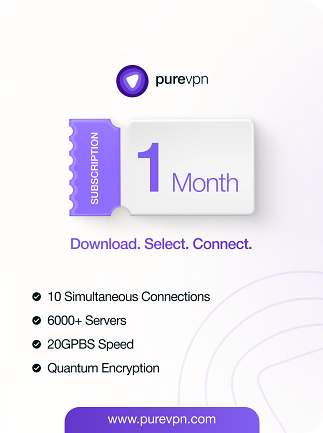
PureVPN (10 Devices) – PureVPN Key – (Global)
In Stock
Payment processing fees may apply
PureVPN is a VPN service that encrypts your internet connection, hides your IP address and routes your traffic through servers in 65+ countries. One subscription covers up to 10 devices, with apps for Windows, macOS, Linux, Android, iOS, smart TVs, browsers and routers.
Perfect Match with

Overview
The PureVPN key activates a prepaid PureVPN subscription that protects up to 10 devices at the same time. It encrypts your internet traffic, hides your IP address, and lets you connect through servers in 65+ countries. It suits individuals and families who want reliable privacy on public Wi-Fi, more freedom while travelling, and one subscription that covers phones, laptops, tablets and TVs.
PureVPN has been running since 2007 and offers apps for Windows, macOS, Linux, Android, iOS, browsers, smart TVs and routers. Its no-log policy has been independently audited, and features such as the internet kill switch, split tunnelling and WireGuard support give you control over speed and privacy. One PureVPN key gives you the full premium service for the length of your term.
What’s included / why buy
- 10 simultaneous devices: protect your whole set-up, including phone, laptop, tablet, smart TV and more, with a single PureVPN key.
- Global server network: servers in 65+ countries, so you can switch your virtual location or pick the fastest nearby server.
- Audited no-log policy: PureVPN’s no-log claims have been independently verified, so your browsing activity isn’t recorded.
- Security features: an internet kill switch, split tunnelling and WireGuard and OpenVPN protocols cover both speed and protection.
- Wide device support: apps for Windows, macOS, Linux, Android, iOS, Fire TV, Android TV, browsers and routers.
- Prepaid and simple: pay once for the full term. Browse more privacy tools in our VPN collection.
Important information
- Region: GLOBAL key. Use it with the official apps from purevpn.com in any country.
- Device limit: up to 10 devices can be connected at the same time on one subscription.
- Validity: the subscription runs for the stated term from activation.
How to activate PureVPN key
Activate your subscription
- Copy the key from your gate2enter.com order.
- Go to purevpn.com and open the activation/redeem page linked in your order instructions.
- Sign in to your PureVPN account, or create one with your email address.
- Paste your key into the activation field and confirm.
- Check your PureVPN Member Area to confirm your plan and its expiry date.
On Windows / macOS
- Download the PureVPN app from purevpn.com/download and install it.
- Open the app, click Log in and enter your PureVPN account details.
- Choose a location or use the quick connect option to connect.
On Android / iOS
- Install PureVPN from Google Play or the App Store.
- Tap Log in and sign in with your PureVPN account.
- Allow the VPN configuration when prompted, then tap Connect.
If your key doesn’t work
- Check the key: copy and paste it rather than typing it, and remove any extra spaces.
- Device limit: if you can’t connect a new device, disconnect one of your other 10 devices first.
Additional information
| Type | |
|---|---|
| Platform | PureVPN |
| Duration | 1 Month, 1 Year, 2 Years, 3 Months, 6 Months |
| Region | Global |
| Delivery Time | Instant Delivery |
| G-Care | 30 Days |
| Works On | Android, IOS, MAC, PC |
Add a review
You must be logged in to post a review
Log In
Related products

Up to
68% Off
68% Off
SALE
New!
SALE




Up to
75% Off
75% Off
SALE
Recently Viewed Products
13%
NordVPN Complete VPN Service (PC, Android, Mac, iOS) 10 Devices (Global)
Select options
This product has multiple variants. The options may be chosen on the product page
New!
Up to
13% Off
13% Off
SALE
Reviews
There are no reviews yet