
No products in the cart.
Type
Activation Key
Platform
Surfshark
Region
Global
Delivery
Instant Delivery
G-Care
30 Days
Works on
Android, IOS, MAC, PC
New!
SALE
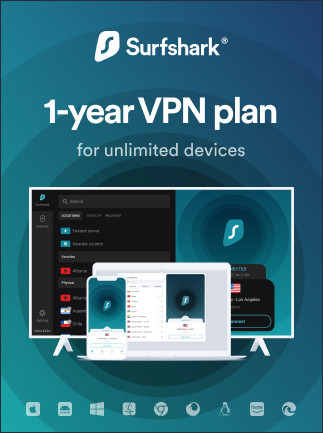
Surfshark VPN Starter Edition (Unlimited Devices) (Global)
In Stock
Payment processing fees may apply
Surfshark VPN Starter is a VPN subscription from Surfshark that encrypts your internet connection, hides your IP address and gives you servers in about 100 countries. It covers unlimited devices and includes the CleanWeb ad and tracker blocker. Apps are available for Windows, macOS, Linux, Android, iOS and smart TVs.
Perfect Match with

Turn off auto-renewal
Overview
The Surfshark VPN Starter plan gives you a prepaid 1 or 2 year Surfshark subscription with unlimited simultaneous devices. It encrypts your connection, hides your IP address, and lets you browse through servers in about 100 countries. It suits households, travellers and anyone who wants one VPN subscription to cover every phone, laptop, tablet and TV they own, with no per-device limit.
Surfshark is built on fast WireGuard connections, a strict no-logs policy, and RAM-only servers that store nothing to disk. The Starter plan adds CleanWeb, which blocks ads, trackers and malicious sites, so pages load cleaner on every device. Apps are available for Windows, macOS, Linux, Android, iOS, Fire TV, Apple TV and browser extensions, and you can protect all of them at once with a single account.
What’s included / why buy
- Unlimited devices: one Surfshark VPN Starter subscription covers every device you and your household use, all connected at the same time.
- Prepaid 1 or 2 years: choose the term that suits you and pay once upfront.
- Global server network: connect through servers in about 100 countries to change your virtual location, stay private on public Wi-Fi, or find a faster route.
- Privacy and security: a kill switch, no-logs policy, RAM-only servers and modern WireGuard encryption keep your traffic private.
- CleanWeb ad and tracker blocking: blocks ads, trackers, cookie pop-ups and malicious websites while you browse.
- Works on everything: apps for desktop, mobile, smart TV and browsers, plus manual setup for routers. Browse more VPNs in our VPN collection.
Important information
- Region: GLOBAL key. Redeem it on the official Surfshark website with any Surfshark account.
- Payment method: Surfshark may ask for a payment method during activation. Your prepaid term is not charged, but you should turn off auto-renewal in your account so you aren’t billed when the term ends.
- Existing subscriptions: if your account already has an active Surfshark plan, the code may not extend it. Redeem it on a new account or contact Surfshark support first.
How to activate Surfshark VPN Starter
Redeem your code
- Copy the activation code from your gate2enter.com order.
- Open a web browser and go to my.surfshark.com/redeem.
- Log in to your Surfshark account, or select Sign up and create one with your email address and a password.
- Paste your code into the Enter code field and click Redeem (or Activate).
- If you see a payment screen or a renewal button, skip it and look for the code entry option instead, so you don’t buy a new plan by mistake.
- If Surfshark still asks for a payment method to complete activation, add one. Your prepaid term is not charged.
- Wait for the confirmation message showing your Starter plan and its end date.
Turn off auto-renewal
- In your Surfshark account, go to Subscription (or Manage subscription).
- Find Auto-renewal and switch it off, then confirm.
- Optionally, remove your saved card under Payment settings. Your VPN keeps working until the prepaid term ends.
On Windows / macOS
- Download the Surfshark app from surfshark.com/download and install it.
- Open the app and log in with the same account you used to redeem the code.
- Click Quick connect, or choose a country from the location list.
On Android / iOS
- Install Surfshark VPN from Google Play or the App Store.
- Tap Log in and sign in with your Surfshark account.
- Allow the VPN configuration when prompted, then tap Connect.
If your code doesn’t work
- Check the code: copy and paste it rather than typing it, and remove any extra spaces.
- Use the redeem page: enter the code at my.surfshark.com/redeem, not the checkout or pricing page.
- Existing plan: if your account already has an active subscription, try redeeming on a new Surfshark account.
Additional information
| Type | |
|---|---|
| Platform | Surfshark |
| Duration | 1 Year, 2 Years |
| Region | Global |
| Delivery Time | Instant Delivery |
| G-Care | 30 Days |
| Works On | Android, IOS, MAC, PC |
Add a review
You must be logged in to post a review
Log In
Related products
SALE

Up to
68% Off
68% Off
SALE


0%
Nord-VPN 1 Device Basic Plan Membership (Global)
Select options
This product has multiple variants. The options may be chosen on the product page
Up to
10% Off
10% Off
SALE
Reviews
There are no reviews yet