
No products in the cart.
Type
Digital Key
Platform
Steam
Region
Global
Delivery
Instant Delivery
G-Care
30 Days
Works on
PC
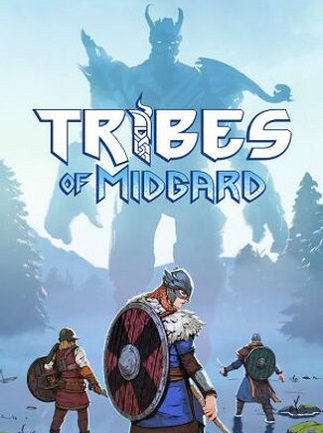
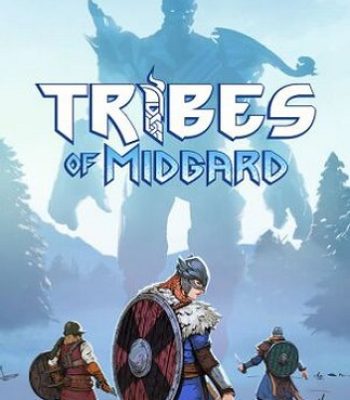
Tribes of Midgard (PC) – Steam Key – GLOBAL
In Stock
$3.23
In Stock
Payment processing fees may apply
Tribes of Midgard is a Viking-themed survival action RPG developed by Norsfell and published by Gearbox Publishing. Set across procedurally generated worlds, players craft gear, build village defenses, and battle giant Jötnar and other Norse creatures to hold off Ragnarök. The game supports solo play and online co-op for up to 10 players, with Survival and Saga game modes.
Perfect Match with

Overview
Tribes of Midgard is a vibrant survival action RPG from Norsfell where you take on the role of an Einherjar, a Viking hero pulled into Valhalla to defend the seed of Yggdrasil from Ragnarök. Set across procedurally generated realms, the game blends base-building, crafting, and boss-sized combat against towering Jötnar and the all-powerful Ancients. It’s built for players who want a colorful, accessible take on survival games, playable solo or with a tribe of up to 10 in online co-op.
What’s included / why buy
- Full access to Tribes of Midgard on Steam for PC, redeemable worldwide with no regional restrictions.
- Two distinct ways to play: open-ended Survival Mode for building your Viking home, and fast-paced Saga Mode for a focused run against Ragnarök.
- A deep crafting and progression system with over 90 skills to customize your Einherjar’s build.
- Online PvE co-op for up to 10 players, with difficulty that scales to your tribe’s size.
- Ongoing free content updates and seasonal Festive Events that keep adding new gear and challenges.
- Instant digital delivery of a genuine Steam key at a lower price than standard retail.
Important information
- This key activates on Steam and is valid worldwide (GLOBAL region) — no regional restrictions apply.
- This purchase is non-refundable once the key has been revealed.
How to Redeem Your Steam Game Key
A simple guide to activating your new game on Steam
If you have purchased a Steam game key from Gate2Enter, this article will show you how to redeem it. The process is quick and works the same way for most games on Steam.
How to redeem your key on desktop:
- Open the Steam application and log in to your account.
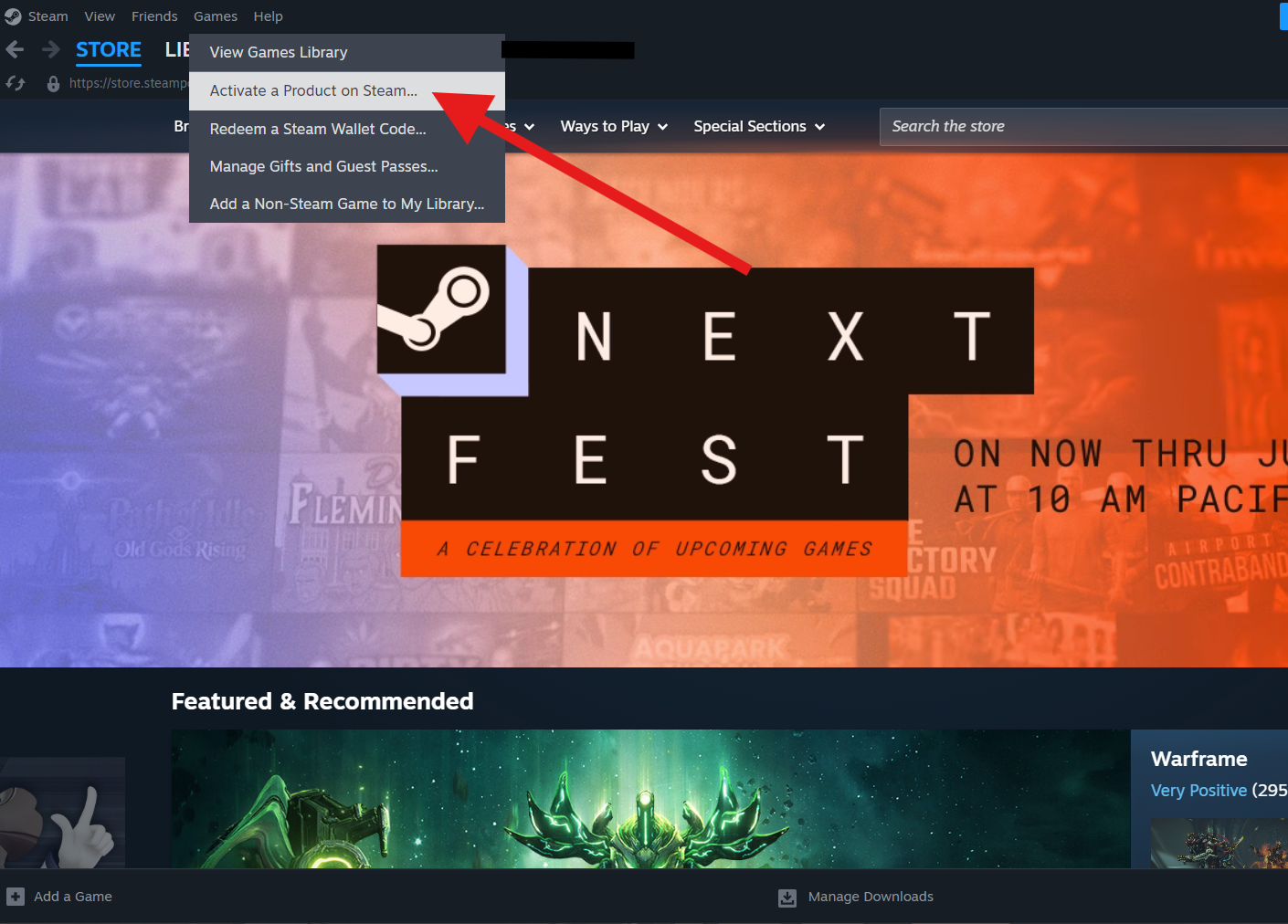
- Click the Games menu at the top of the screen.
- Select Activate a Product on Steam.
- Click Next on the welcome screen.
- Read and accept the Steam agreement, then click Next again.
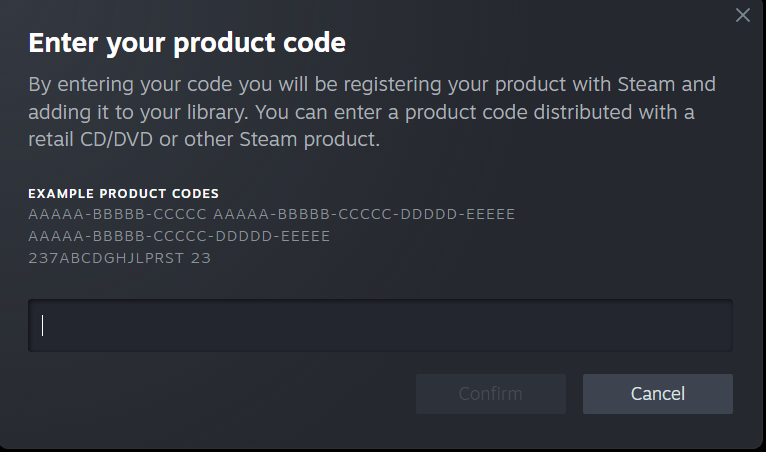
- Enter the product code you copied from Gate2Enter.
- Click Next to confirm and complete the activation.
How to redeem your key on the Steam mobile app:
- Open the Steam app and log in to your account.
- Tap the menu icon in the top left corner.
- Select Games, then tap the plus icon.
- Choose Activate a Product.
- Enter the product code and follow the on-screen steps to finish.
Once the activation is complete, the game will be added to your Steam library. You can install it straight away or at any time later.
A few things worth knowing:
- Each key can only be redeemed once.
- The game must be available in your Steam account’s region to activate successfully.
- Some keys are tied to a specific country, so always check the product listing before purchase.
Additional information
| Type | |
|---|---|
| Platform | Steam |
| Genre | Action, Survival |
| Region | Global |
| Delivery Time | Instant Delivery |
| Game Mode | Co-operative, Multiplayer, Single Player |
| G-Care | 30 Days |
| Works On | PC |
Specifications
Developer
Norsfell
Publisher
Gearbox Publishing
Release date
July 2021
Age rating
PEGI 12 · ESRB Teen
System Requirements
MINIMUM
OS: Windows 7 64-bit
Processor: Intel Quad Core i5-2300 or AMD FX-6300
Memory: 8 GB RAM
Graphics: Nvidia GeForce GTX 560 (1GB) or AMD Radeon HD 7770 (1GB)
Storage: 8 GB
RECOMMENDED
OS: Windows 10 64-bit
Processor: Intel Quad Core i5-2300 or AMD FX-6300
Memory: 8 GB RAM
Graphics: Nvidia GeForce GTX 780 Ti/970 (High) or 1070 (Ultra), or AMD R9 290/RX480 (High)
Storage: 8 GB
Add a review
You must be logged in to post a review
Log In
Related products

Steam Gift Card (USA)
Select options
This product has multiple variants. The options may be chosen on the product page
SALE




Recently Viewed Products



Asphalt Legends Recharge (Global)
Select options
This product has multiple variants. The options may be chosen on the product page


Genshin Impact Genesis Crystals Recharge (Global)
Select options
This product has multiple variants. The options may be chosen on the product page
Reviews
There are no reviews yet